
Claymation AI music video generator
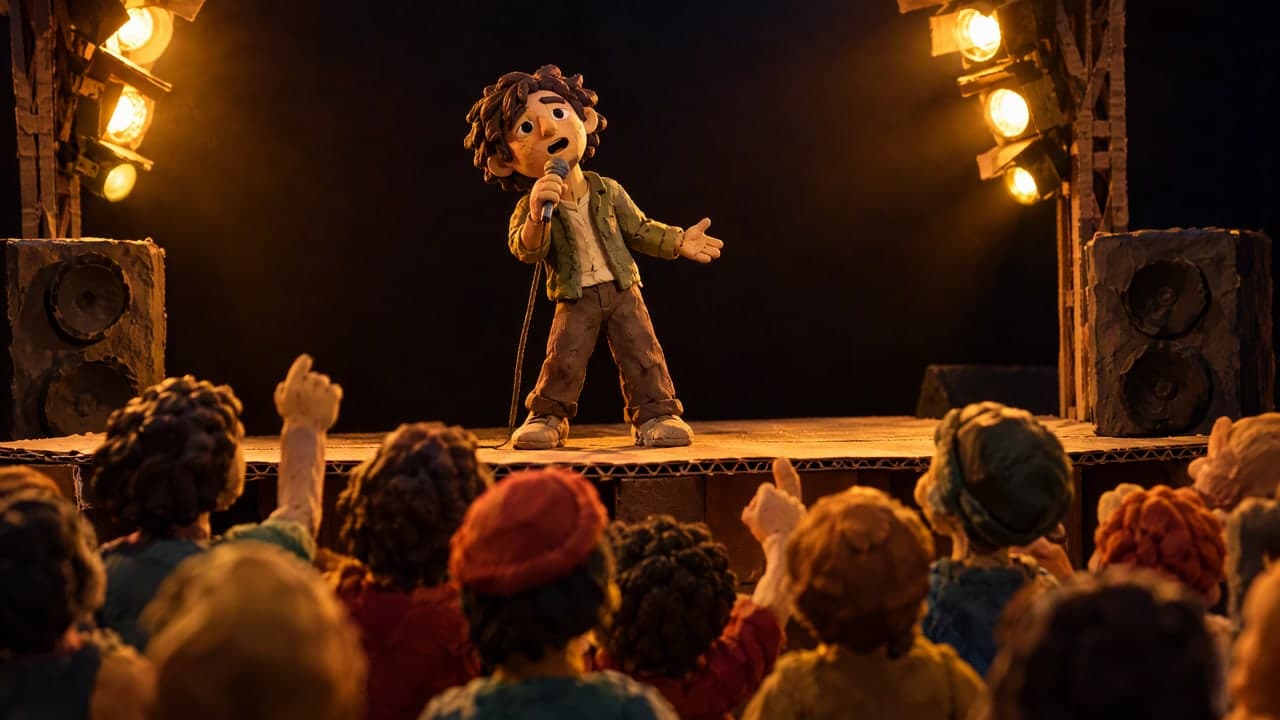
Upload your song and Audove turns it into a claymation music video: clay characters with fingerprints and sculpting marks, tiny handmade sets and soft studio light. You see every scene in a storyboard before the video is made.
Made with Audove in Claymation
Coffee at Seven — a claymation music video
The idea: A shy clay commuter, a barista who misspells his name, and one rainy Friday cup that finally asks her to dinner.
- Song:
- Coffee at Seven (Retro soul pop, made with Audove)
- Style:
- Claymation
- Part of the song:
- 0:00–2:45 (165 seconds)
- Storyboard option:
- Your idea
- Credits used:
- 1,958
How we made Coffee at Seven
- The song: a 2 minute 45 second retro soul pop song made with Audove. Audove found its lyrics, its parts and its beats.
- The idea: we typed our own. A shy commuter, a barista who writes his name a little wrong, and a note on a rainy Friday cup.
- The characters: one clay character sheet (10 credits), so the commuter and the barista look the same in every scene.
- The storyboard: Audove planned the song as 24 scenes, each timed to the music, and drew a frame for each (100 credits for the plan, 480 for the frames). We redrew one frame 3 times until we liked it (60 credits).
- The video: 24 clips at 768p, made and joined with the song in 24 minutes (1,308 credits; clips were half price that day). In the 3 singing scenes, the commuter's lips follow the song's vocals.
- In total: about 2 hours from finished song to finished video, most of it spent checking frames, and 1,958 credits.
What claymation gives your song
- Warm and handmade
- Clay looks like something you could touch. Thumbprints, soft edges and warm light make a small, everyday story feel cosy, even when the song is sad.
- Big, clear feelings
- Clay faces show feelings in a big way: a shy smile, wide eyes, a slow blush. Viewers read the story at a glance, even with the sound off.
- A tiny world
- A café, a bedroom or a whole town becomes a miniature set, like a toy you built at a kitchen table. Props like cups, letters and umbrellas stand out.
How to make a claymation music video
- Upload your song as MP3 or WAV and pick the part you want.
- Choose Claymation, write your idea if you have one and create your characters in the same style.
- Pick one of 3 storyboard concepts, or describe your own, and check every scene.
- Make the video. Each scene becomes a clip, joined with your song.
Songs that suit claymation
- Love songs and sweet, simple stories
- Funny and novelty songs
- Kids' and family songs
- Indie, folk, lo-fi and retro soul
- Songs about everyday life: work, home, a morning routine
Tips for a good claymation video
- Keep the cast small, one to three characters, and make their character sheets first so they look the same in every scene.
- Pick everyday places and props. A coffee cup or a napkin note reads clearly in clay and can carry the story.
- Give each scene one simple action, like writing on a cup or turning around. Simple moves look best.
- Say how characters feel, not only what they do. Clay shows a nervous smile or a happy jump very well.
Claymation music video questions
- Is it real stop-motion?
- No. AI makes the clay look: characters, sets, sculpting marks and studio light. The movement is smooth like a normal video, not frame by frame, so you get the handmade look without weeks of animating.
- Can the clay characters look like me?
- Yes. Add your photos and Audove makes clay character sheets from them, so you or your band can star in the video. You can also describe characters in words.
- Can the clay characters sing my song?
- Yes. In scenes where a character sings, their lips follow your song's own vocals, which Audove separates from the music.
- How much does a claymation music video cost?
- Audove uses credits (1 credit is $0.01). Coffee at Seven (2:45 long) used 1,958 credits (about $19.58) for the characters, storyboard, frames and clips. Plans start at $15 a month for 1,500 credits, and you start free with 300.
- How long can my video be?
- Up to 15 seconds on the Free plan, 5 minutes on Starter and up to 10 minutes on Pro. You can use the whole song or only one part, like the chorus.
- Can I use the video commercially?
- Yes, on a paid plan you may use your videos commercially, for example on a monetised channel or to promote your music. Free plan videos carry an Audove watermark and are for personal use.
- Which songs can I upload?
- Any MP3 or WAV song you have the rights to: your own recording, a song made with Suno or another AI music app. Audove finds the lyrics, the song's parts and its beats for you.
Make your claymation music video
Upload your song and see every scene in Claymation before your video is made. Start free with 300 credits, no card needed.